UAV Ground Control Station Lab
A simulated drone (ArduPilot SITL) and a ground control station connected over MAVLink/UDP on two machines, with a ufw firewall, a WireGuard tunnel, tcpdump checks, latency measurements and a link-failure test.
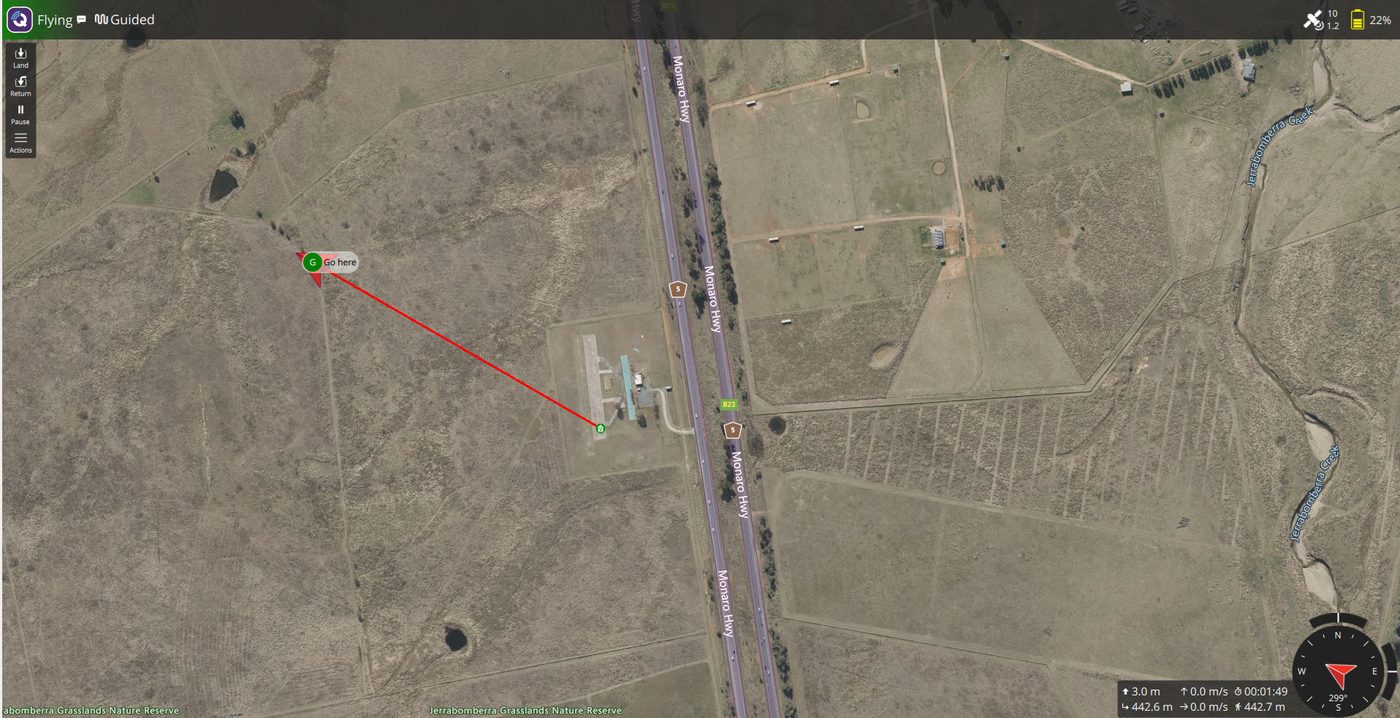
A small lab where I set up a simulated drone and a Ground Control Station (GCS), first on one machine and then on two separate machines, connected through MAVLink, and documented the problems I ran into along the way.
I built it to understand how a GCS talks to a vehicle: the link, the ports, the telemetry and the commands. It is a learning project, not production work.
What I built
- An ArduPilot Copter simulator (SITL) running on Ubuntu inside WSL2.
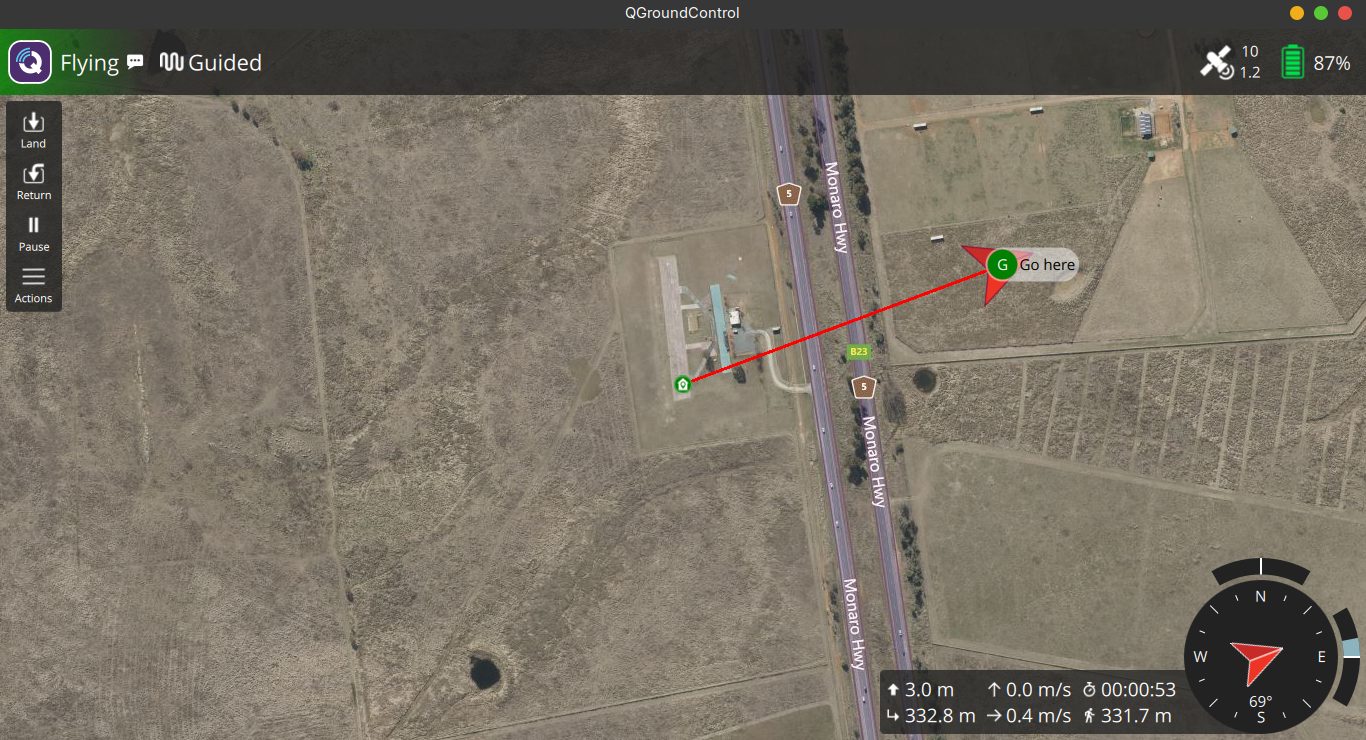
- QGroundControl connected to it over MAVLink/UDP, first on the same PC and then on a second Linux machine on the same network.
- From the GCS I can arm, take off, send the drone to a point on the map and return it to launch.
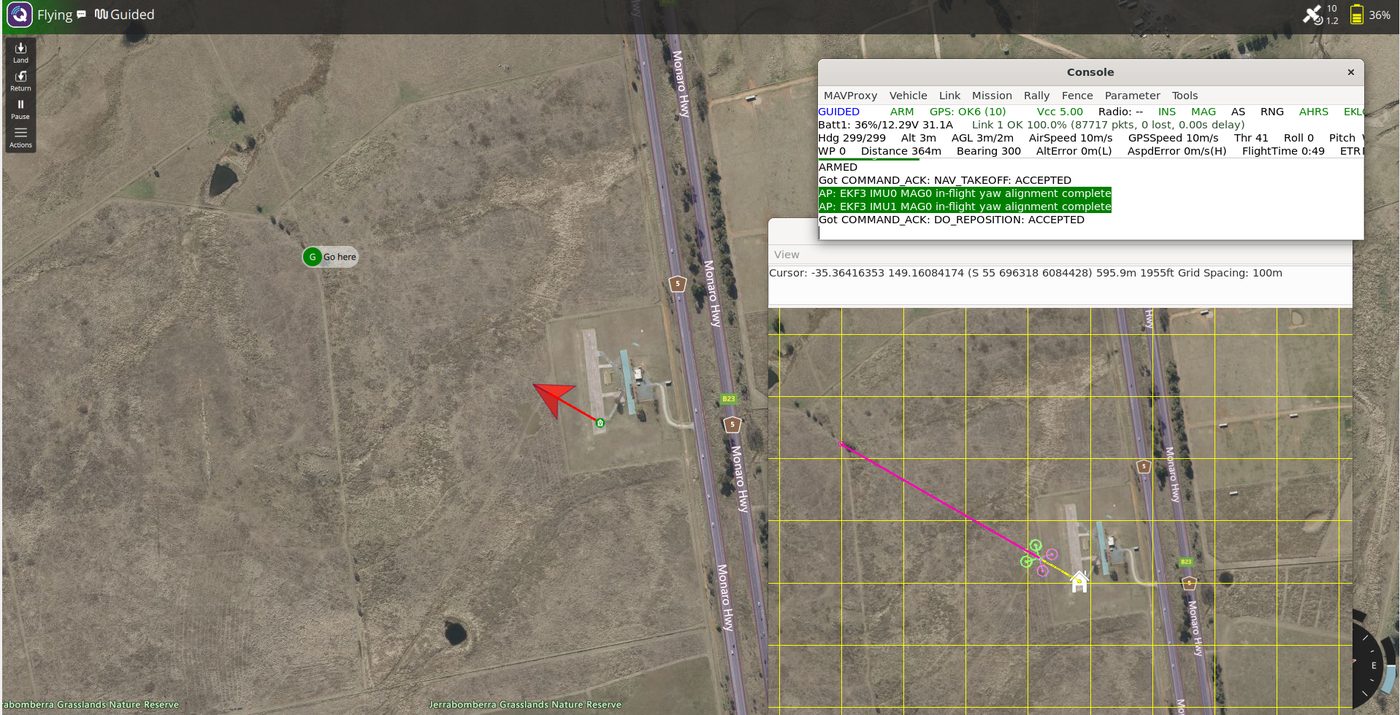
Two machines, a firewall and a VPN
- I separated the vehicle (my PC, Ubuntu in WSL2) from the GCS (a Linux Mint laptop on the same Wi-Fi network).
- The laptop's firewall (ufw) denies incoming traffic by default, so I allowed MAVLink only from the vehicle PC. To check that the rule is what lets the telemetry through, I tested without the GUI using netcat: with the rule the MAVLink packets arrive, without it nothing arrives and the kernel log shows the drop.
- I then put the link inside a WireGuard tunnel, so the telemetry travels encrypted. Each machine generated its own key pair and only the public keys were exchanged. I allowed WireGuard only from the PC, and MAVLink only from inside the tunnel.
- I verified with tcpdump on the tunnel interface that the telemetry really goes through the tunnel.
Measurements
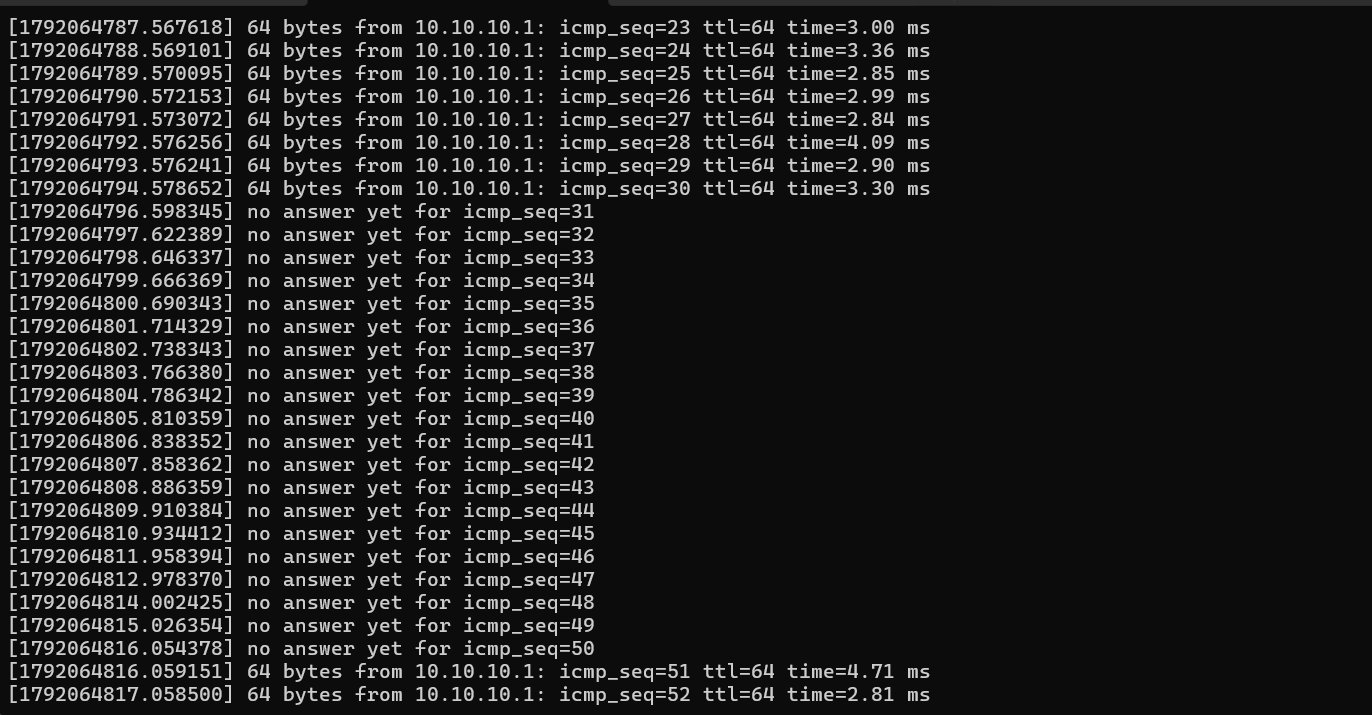
I ran 50 pings from the PC to the laptop, one test right after the other, over home Wi-Fi:
- Direct LAN (no VPN): 0% loss, 2.9 ms on average.
- WireGuard tunnel: 0% loss, 3.7 ms on average.
In this test the tunnel added about 0.8 ms and lost no packets. These are single runs over Wi-Fi, so the numbers vary from run to run.
Link failure test
With a continuous ping running, I took the tunnel down for 20 seconds and brought it back up. There were 20 consecutive pings with no answer, which matches the 20 s of downtime. The tunnel then recovered on its own: the first ping after it came back was answered in 4.7 ms. MAVLink runs over UDP, so packets sent during the outage are lost, not delayed, and the telemetry simply resumes when the link returns.
Problems I ran into
- QGroundControl for Windows crashed on start with a "Bad Image" error. Windows blocked a binary it did not recognise. I did not disable the protection: I ran the Linux AppImage inside WSL instead.
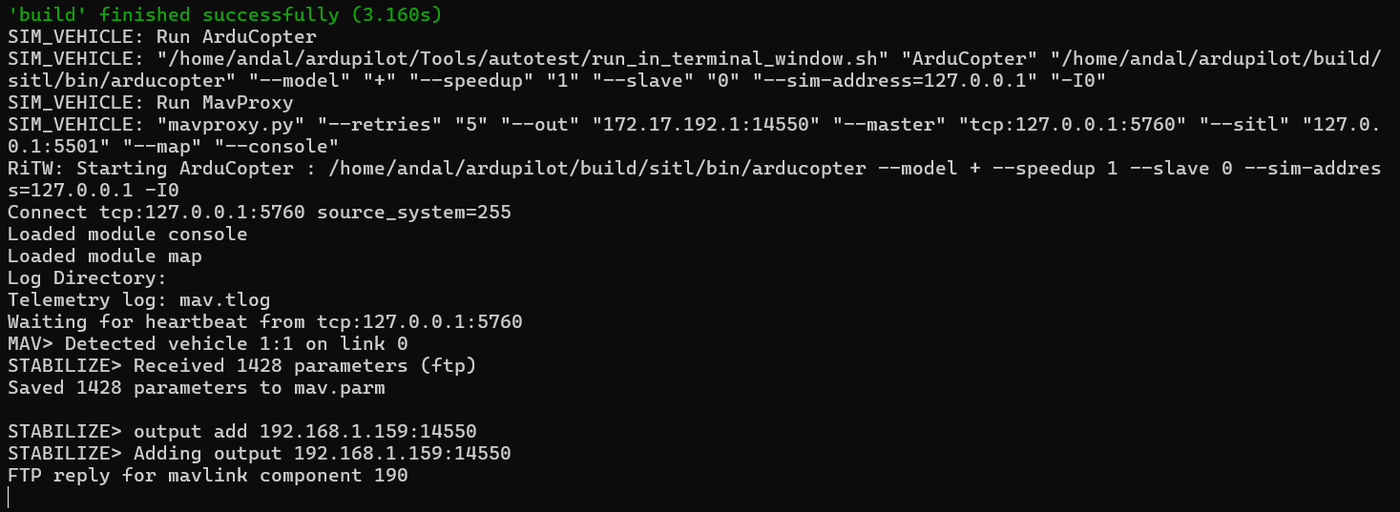
- QGroundControl showed "Disconnected" although the simulator was running. The simulator detected WSL and sent telemetry to the Windows host instead of localhost. I fixed it by adding a second output to 127.0.0.1.
- Takeoff failed because the vehicle was not in GUIDED mode.
- Telemetry did not reach the second machine because ufw denies incoming traffic by default. The kernel log showed the blocked packets, so I allowed UDP 14550 only from the vehicle PC.
What I learned
- A GCS is a client on a link: the interesting work is the link itself (ports, routing, firewalls, link quality), not the buttons.
- A firewall on the GCS side can silently stop a working vehicle from being seen.
- How to document a problem so that someone else can reproduce the fix.
Next steps (planned, not done yet)
- Swap roles: run the simulator headless on the laptop, as if it were the onboard computer.
- Watch how the vehicle reacts to a longer link loss (GCS failsafe).
- Simulate a degraded link, with delay and packet loss, instead of a full outage.